CapCut
CapCut for PC with all basic editing tools including resizing, trimming, and cutting.

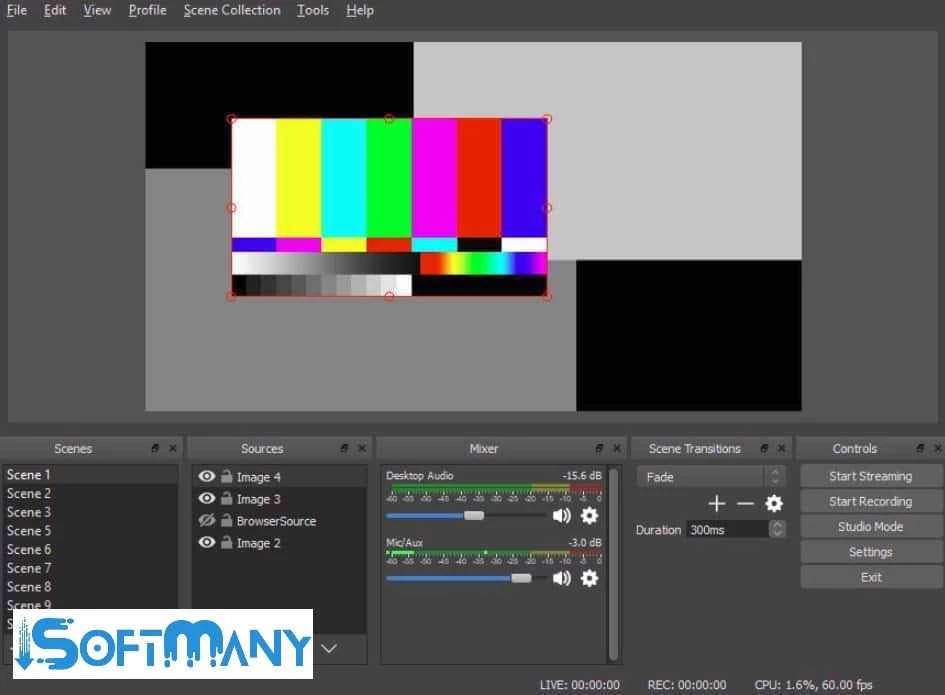
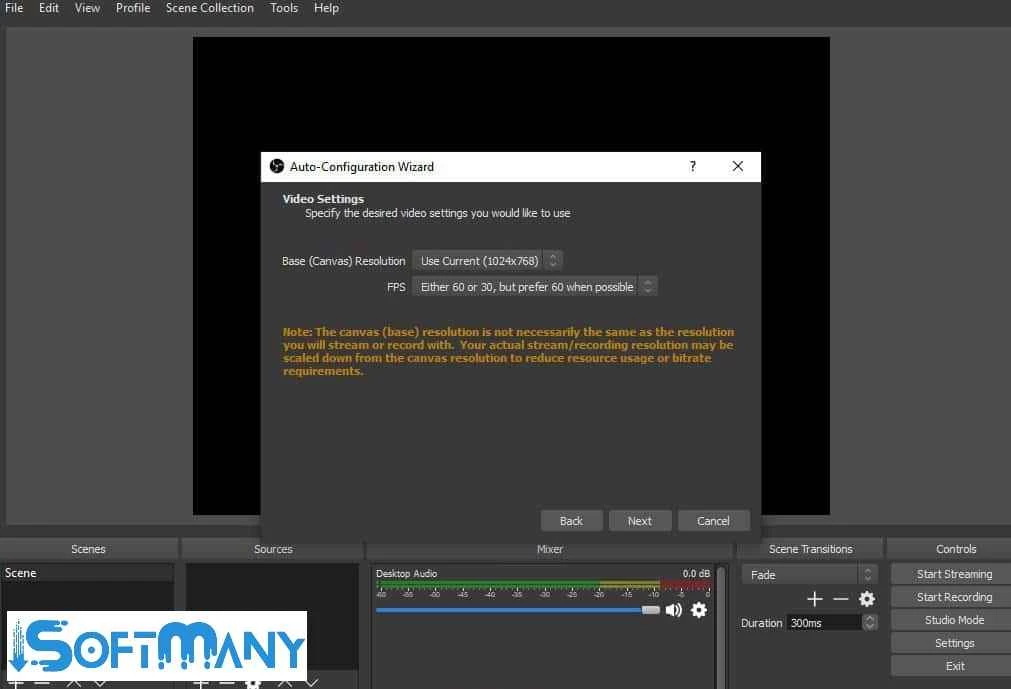


OBS Studio is a free and open-source tool to offers screen recording, live streaming, and editing services with professional-quality output. It works like a compiler to combine the video and audio sources, such as webcam, microphone, and computer screen, so you can easily use it for gaming, tutorials, online broadcasting, and so on.
It is the best solution for creating content and live streaming for multiple social-sharing apps, including YouTube, Twitch, Instagram, and so on. You will find huge support for multiple innovative tools such as 4K output, 60 FPS, VST plugins, filters, etc, to create limitless scenes.
OBS Studio is a powerful and flexible software that helps to create, edit, and compile the visual content with support of multiple innovative features. It offers seamless integration for multiple resources such as captures, images, text, browser windows, etc, to enable the streamers, podcasters, and other content creators to elevate their content creation.
It is free and open-source software and makes your content creation a breeze with real-time functionality. It is the best solution for online gamers to share and record their gameplay, and also for YouTubers to encode, real-time capture, and broadcast more reliably.
The software offers two main functions, such as Scenes and Sources, which help to set up the stream according to your preferences. Click on the Studio Mode option to make changes in the Scenes option, and continue your editing without alerting the audience about your changes. After launching the mode, you will see the live video on the right side, and on the left side panel, all the editing tools are available to make changes. After completing the editing process, use the Transition button to turn the editing screen into Live Video. Deactivate the Studio Mode, and activate it in case of starting changes.
The software offers simple workflows while using multiple sources to create videos, while offering support webcam to record video, and a microphone to add audio. While capturing the screen, you are capable of selecting the entire window or a specific portion as well. For recording a game or a tutorial, you need to give a command for starting to start recording at your required moment. It works in the background without bringing the overlay to the middle of the gameplay.
The app within open-source capability has a vast collection of plugins and scripts offered by the community. The robust support offers an extended functionality without any limit. The software can be managed as you require, and it also allows you to get benefits from the collective innovation of developers.
The wide variety of filters, such as color correction, image masking, chroma, etc, is available to add while editing your videos. You simply add filters to your Scenes, Sources, and Audio channels to enhance the video. You can edit audio while increasing/decreasing noise, adding a sound threshold, and amplifying voice input over the sound of gaming. Likewise, you are capable of adding multiple elements and text to your videos, and even in PIP video shots as well. In addition, adding the watermark to the live as well as recorded videos is also possible.
It is another key feature to make your live streaming quick and easy, as you can start or stop the streaming or recording with the help of a hotkey. For this purpose, you have to configure the settings, operate multiple functions such as starting, stopping, switching between multiple scenes, hiding or displaying sources, and so on. Although the software has support for keyboard keys, but use of hotkeys makes your workflow efficient and hassle-free.
The awesome software offers enhanced performance, even for multi-layered scenes, and minimizes the latency. You can get enhanced output quality up to 4K and 60 FPS, and within available bandwidth helps to optimize stream quality while using the customizable bitrate settings. The support for third-party plugins and the capability of streaming to custom RTMP servers allow users to manage multiple functions, such as adding animated alerts, donation platforms, expanding functionality, and so on.
The software has some downsides, such as it doesn’t have built-in support for Multistreaming, but you can achieve it to run multiple instances of OBS and configure them to stream on different platforms. You also have to run Spotify with the help of third-party plugins.
The software includes multiple innovative advanced features such as real-time monitoring, VST plugins support, and offers granular control over filters, including noise suppression, gain, compression, EQ, and so on. It offers a mixer panel for balancing audio while extracting from multiple sources such as a microphone, game feed, or background audio.
Pros
Cons

CapCut for PC with all basic editing tools including resizing, trimming, and cutting.

Get optimized converted multimedia files with Format Factory

Green Convert is a free video converter to offers a quick conversion and editing videos with support for limitless formats

Free Cam, capture, record, and edit videos to upload directly on YouTube

VLC supports multiple audio/video formats to play your multimedia.

Streamlabs OBS is a offer you online and offline broadcasting.